


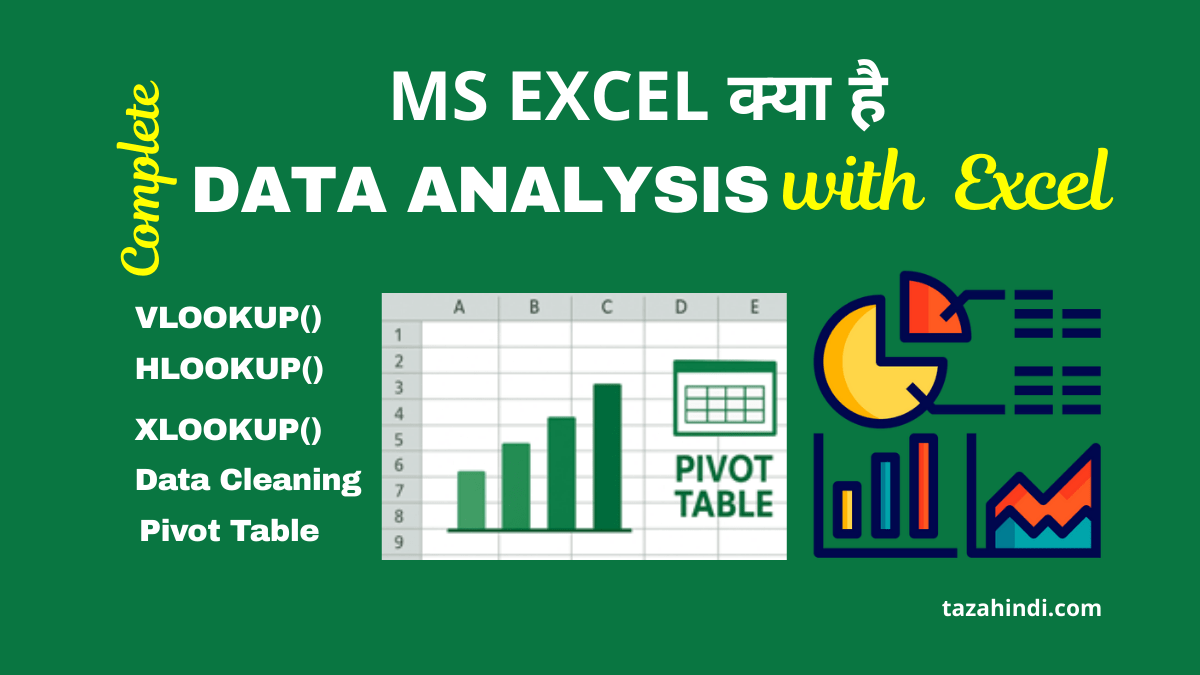
आज हर क्षेत्र में data सबसे महत्वपूर्ण resource बन गया है—business reports, bank accounts, salary sheets, school attendance हों या online shopping website का product data। ऐसे विशाल data को store करने, calculate करने और analyze करने के लिए MS Excel सबसे ज्यादा इस्तेमाल किया जाता है। इसलिए यह जानना जरूरी है कि MS Excel Kya Hai in Hindi और Data Analysis में Excel का उपयोग कैसे किया जाता है।
इस step-by-step tutorial में आप Excel को basic से data analysis level तक सीखेंगे।
MS Excel Kya Hai in Hindi (What is MS Excel in Hindi)?
MS Excel (Microsoft Excel) एक spreadsheet software है, जिसमें rows और columns की help से data enter और manage किया जाता है। यह Microsoft Office suite का important part है। Excel में आप data entry, calculations, chart visualization, data cleaning और professional reporting कर सकते हैं।
Excel file को Workbook कहा जाता है और हर workbook में कई Worksheets होती हैं।
एक्सेल का यूज़ किस लिए किया जाता है (What is MS Excel used for)?
Excel का उपयोग countless tasks के लिए होता है, जैसे—
- Student Report & Attendance
- Salary Sheet, Tax & Billing Calculations
- Business Inventory & Stock Management
- Sales Reports & Profit Analysis
- Banking Calculations (Interest, EMI, Statement)
- Data Cleaning & Professional Dashboards
Simple words में, Excel वो tool है जो raw data को useful information में बदलता है।
डेटा एनालिसिस के लिए एक्सेल सर्वश्रेष्ठ क्यों है (Why Excel is Best for Data Analysis ) ?
| Reason | Benefit |
| Easy to Use | Coding की जरूरत नहीं |
| Hundreds of Functions | Data processing आसान |
| Pivot Tables | Big data analysis 10 seconds में |
| Charts & Visualization | Reports interactive |
| AI + Automation | Smart analysis possible |
Excel beginners से लेकर professional Data Analyst तक सभी के लिए suitable tool है।
ये भी पढ़ें : How To Use SQL in Excel: A Step-by-Step Guide
एक्सेल का यूज़ कौन कौन करता है (Who uses MS Excel) ?
| User | Purpose |
| Students | Projects, Marks, Tables |
| Teachers | Attendance, Result Sheet |
| Accountants | Billing, Salary, Tax |
| Business Owners | Sales, Inventory |
| Data Analysis | Data Cleaning, Reporting |
| Banks | EMI, Loan, Customer Records |
MS Excel Interface Explained (Cells, Rows, Columns Basics)
Excel open करते ही आपको table-like interface दिखाई देता है।
- Rows — Horizontal line (1,2,3…)
- Columns — Vertical line (A, B, C…)
- Cell — Row + Column का intersection (Example: A1, B3)
Formula Bar: यहाँ हम formulas type करते हैं
Ribbon Tabs: Home, Insert, Page Layout, Data, Formula etc.
Excel को master करने के लिए formulas + cell referencing समझना सबसे जरूरी है।
ये भी पढ़ें : How to Create Tables in SQL: A Beginner’s Guide
डेटा एनालिसिस के लिए Excel Functions (Step-By-Step Guide)
1) Mathematical Functions (Mathematical Calculations)
| Function | Use |
| SUM() | Total निकालना |
| COUNT() | Numerical values count |
| AVERAGE() | Average निकालना |
| MAX() | Highest value |
| MIN() | Lowest value |
2) Logical Functions (Decision Making)
| Function | Use |
| IF() | Condition based result |
| AND() | सभी condition true |
| OR() | At least one true |
| NOT() | Reverse logic |
3) Text Cleaning Functions
| Function | Use |
| TRIM() | Extra spaces हटाना |
| PROPER() | Words capital करना |
| LEFT() | शुरुआत से text निकालना |
| RIGHT() | अंत से text निकालना |
| LEN() | Characters count करना |
4) Lookup Functions (Search Any Data)
| Function | Use |
| VLOOKUP() | Vertical search |
| HLOOKUP() | Horizontal search |
| XLOOKUP() | Smart & Advanced lookup |
Data Analyst के लिए VLOOKUP से ज्यादा powerful XLOOKUP है।
ये भी पढ़ें : SQL Beginner’s Guide: Everything You Need to Know
Excel Data Cleaning Tutorial (Practical)
Excel में Data Cleaning वह प्रक्रिया है जिसमें किसी भी raw या गलत data को सही, साफ़ और उपयोग करने योग्य बनाया जाता है। अक्सर data में spelling mistakes, extra spaces, duplicate entries, खाली cells, गलत formats (जैसे text format में number या date) जैसी समस्याएँ होती हैं।
Data Cleaning के माध्यम से हम इन गलतियों को ठीक करके data को standard रूप में तैयार करते हैं, ताकि उस पर accurate data analysis किया जा सके। Excel में TRIM(), PROPER(), REMOVE DUPLICATES, Text to Column, Find & Replace, और Format Tools जैसे features का उपयोग करके आसानी से data को clean किया जा सकता है।
साफ़ data ही बेहतर reports, charts और pivot table analysis की सही नींव बनाता है, इसलिए Data Cleaning को data analysis की सबसे महत्वपूर्ण step माना जाता है।
1) Remove Duplicate Entries
Path: Data Tab → Remove Duplicates
2) Missing Data Handling
- Blank cells → Average, 0, or Not Available
3) Convert Text to Number/Date
Path: Home → Number Formatting
4) Clean Spaces using TRIM()
=TRIM(A1)
Cleaning = Accurate Data Analysis
Pivot Table क्या है ? Analyze Big Data in Seconds
Pivot Table Microsoft Excel का एक ऐसा powerful tool है जो बड़े से बड़े data को कुछ ही seconds में summarize और analyze करने की सुविधा देता है। Pivot Table की मदद से हम किसी data को category या group के अनुसार total, average, count, percentage या comparison के रूप में आसानी से देख सकते हैं। इसमें सिर्फ drag and drop करके instant report या summary तैयार हो जाती है, इसलिए इसमें formulas की ज़रूरत नहीं पड़ती। इस कारण Pivot Table को data analysis का सबसे तेज़ और smart तरीका माना जाता है, जो business reports, sales summaries, finance, school records और corporate data management में बहुत उपयोगी है।
Pivot Table Benefits
- Product-wise sales
- Category summary
- Monthly profit analysis
- Fast reporting
Steps:
Insert → Pivot Table → Select Data → OK
Columns drag करके instant report बनती है।
ये भी पढ़ें : SQL for Data Science: How to Use SQL to Analyze Data
डेटा एनालिसिस के लिए Excel Charts (Excel Charts for Data Analysis)
Charts data को visually समझने में help करते हैं।
| Chart Type | Use |
| Column Chart | Values compare |
| Pie Chart | % Share |
| Line Chart | Trend Analysis |
| Combo Chart | Trend + Comparison |
अच्छा chart वो है जो कम words में सही message दे।
Excel Shortcuts & Pro Tips (Boost Speed)
| Shortcut | Use |
| Ctrl + T | Table Format |
| Ctrl + Shift + L | Filter |
| Alt + = | Auto SUM |
| Ctrl + Q | Quick Analysis |
| Ctrl + D | Fill Down |
| F2 | Edit cell |
AI Tip: ChatGPT या Copilot से आप formulas generate कर सकते हैं।
ये भी पढ़ें : टॉप 10 सबसे फायदेमंद सरकारी योजनाएँ | Top 10 Government Yojana 2025
वीडियो ट्यूटोरियल – Complete Data Analysis Video Tutorial
नीचे दिए गए वीडियो में आप Microsoft Excel का एक पूरे 7+ घंटे का फुल कोर्स देख सकते हैं — इस वीडियो में Excel की बेसिक्स से लेकर एडवांस्ड डेटा एनालिसिस टॉपिक्स जैसे फ्लैश फिल, पिवट टेबल, चार्टिंग और बहुत कुछ कवर किया गया है। यह वीडियो आपके लिए बहुत उपयोगी साबित होगा अगर आप इस आर्टिकल के साथ-साथ ‘MS Excel Kya Hai in Hindi | Complete Data Analysis Tutorial’ को प्रैक्टिस के साथ सीखना चाहते हैं।

निष्कर्ष (Conclusion)
इस article में आपने समझा कि MS Excel Kya Hai in Hindi, Excel data analysis के लिए क्यों सबसे बेहतर है, कौनसी functions useful हैं, और Pivot Table व charts कैसे reporting को आसान बनाते हैं। यदि आप professional career में Excel सीखते हैं तो आप accounting, banking, business reporting, और data analytics jobs में जल्दी grow कर सकते हैं।
FAQs
Q1: MS Excel क्या करता है?
Ans. Data store, Calculate, Analyze और Report generate करता है।
Q2: Excel Free में कैसे सीखें?
Ans. YouTube + Free Tutorials on TazaHindi.com
Q3: Pivot Table क्यों use करते हैं?
Ans. Large Data को एक क्लिक में summarize करने के लिए।
Q4: Excel किस Job में काम आता है?
Ans.Accounting, Banking, Business, HR, Data Analysis, Office Work आदि।
Q5: क्या Excel सीखना मुश्किल है?
Ans. नहीं, basic से start करके कोई भी सीख सकता है।
Q6: क्या Excel free में सीख सकते हैं?
Ans. हाँ, YouTube + TazaHindi.com tutorials के माध्यम से।